
Once activated, download the RSM App, Login and start receiving Booking Notifications.
Relief Staff App Setup & Resources
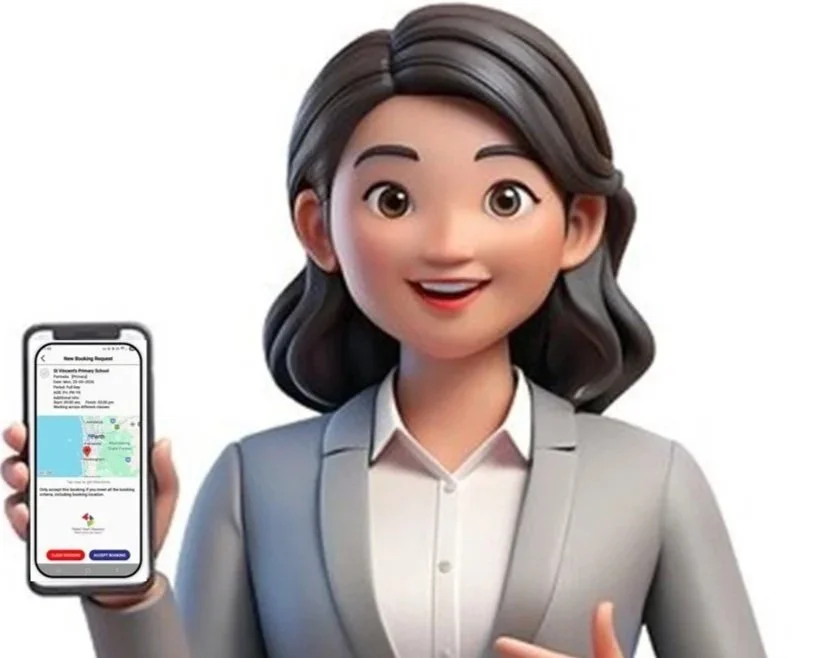
Get Started with the RSM App
Once you receive your activation email, you’re ready to start using the RSM App.
Step 1: Download the App
Download the free RSM App and log in using your registered username and password.
Step 2: Check Your Phone Is Ready
Before downloading, please make sure:
📱 Your phone software is up to date
Apple: iOS 15.0 or later
Android: Version 12.0 or later
🔔 You must allow notifications with a permanant banner and sound on the RSM App.
You’ll get the most value from RSM when notifications are switched on and audible.
Need Help Setting Up Notifications?
If you’re unsure how to enable notifications:
🔎 Search YouTube for your phone model + “app notifications”.
📖 Check your phone’s user manual.
📞 Ask your phone provider for help.
Important Forms for Relief Staff
Catholic Education WA — Form 11
If you attend a Catholic Primary School for the first time, you must present CEWA Form 11.
What to do:
Complete your section of the form.
Bring it with you to your first Catholic school.
We recommend scanning and saving a copy for future bookings.
📄 CEWA Casual Relief Form 11
Fair Work & Employment Information
Casual Employment Information - Currently Unavailable
Fair Work Information Statement - Currently Unavailable
These documents provide important information about your rights and conditions as a casual employee:
These guides help you feel prepared and confident when heading into schools.
Relief Staff Resources
Before Your Relief Day
What to know and bring before your booking.
On the Day
What to expect once you arrive at school.